Defining object properties
In your Avo Tracking Plan properties can have 5 different types, string, integer, float, boolean and object. Learn more about properties in general in this doc.
In this guide we’ll go through the process of defining an object property, including constraints on its keys and values.
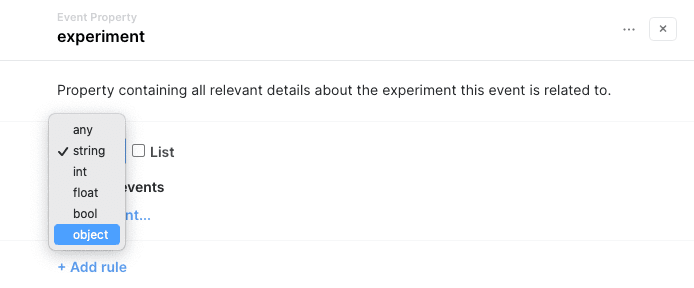
Step 1: Set the property type to object
Click the type dropdown in the property drawer and select “object”
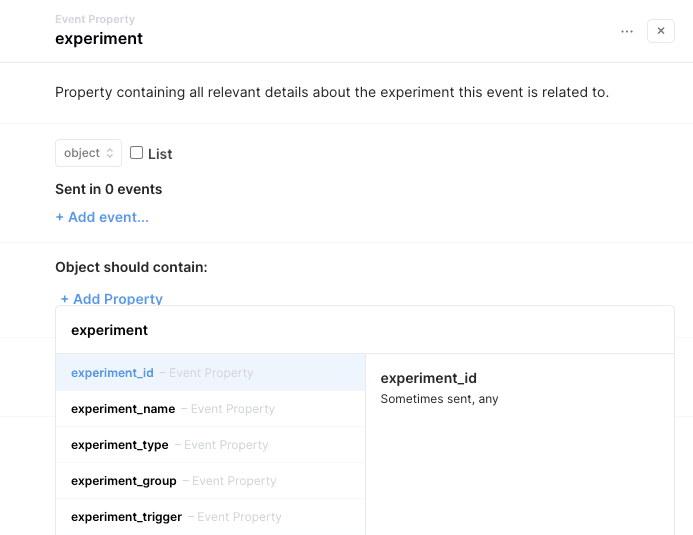
Step 2: Define constraints on which keys and values the object should contain
Add the properties you’d like to include in the object
All properties in Avo are shared globally throughout the tracking plan, this includes the sub-properties of object properties. You can learn more about the global namespace in Avo in this doc.
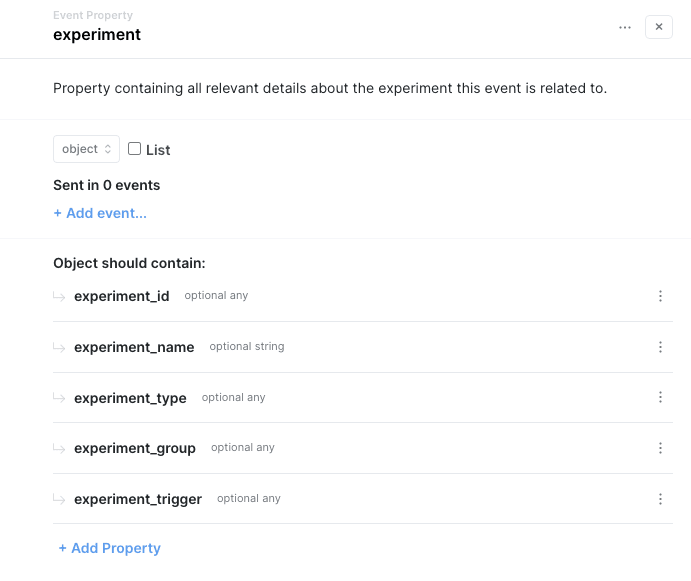
Congrats, you’ve defined your first object property in Avo!
What’s next?
- Learn how to pin values of specific object keys in this guide on pinned properties
- Learn more about properties in general
Avo is the analytics governance platform for product data that lets you define it consistently, implement it correctly and trust it everywhere. Using an AI agent? Connect it to the Avo MCP at https://mcp.avo.app/mcp and it can read and change your tracking plan on a branch.